Setup Two-Factor Authentication: Mobile Phone Number
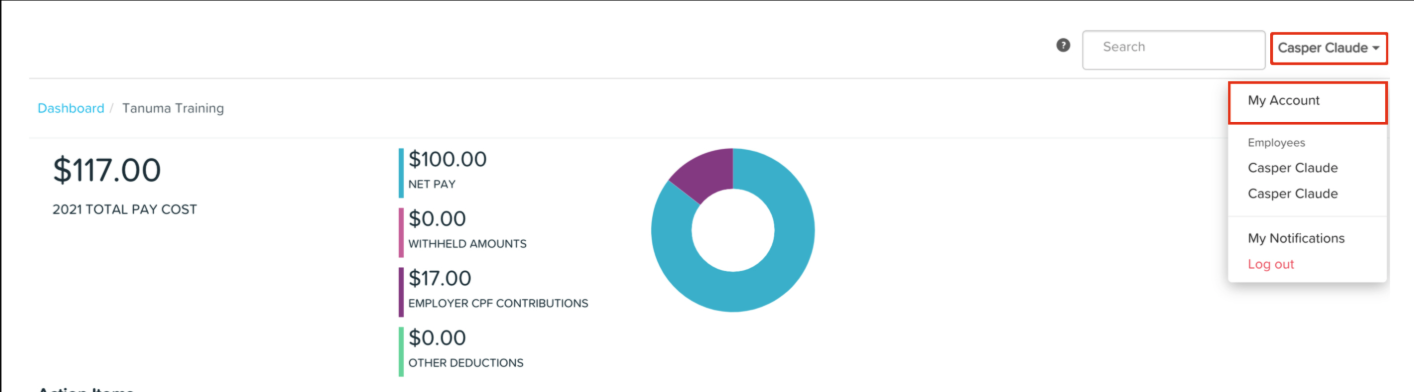
Click the Account menu.
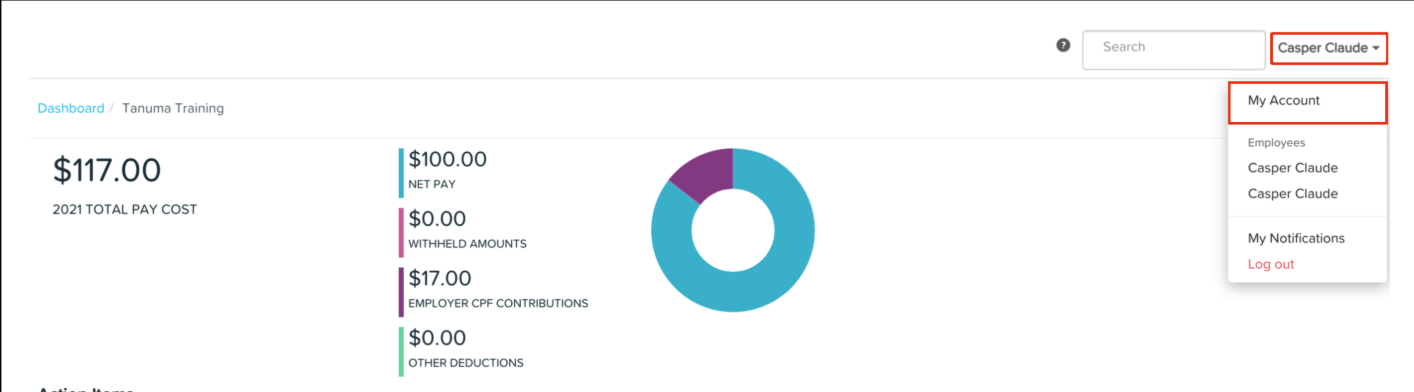
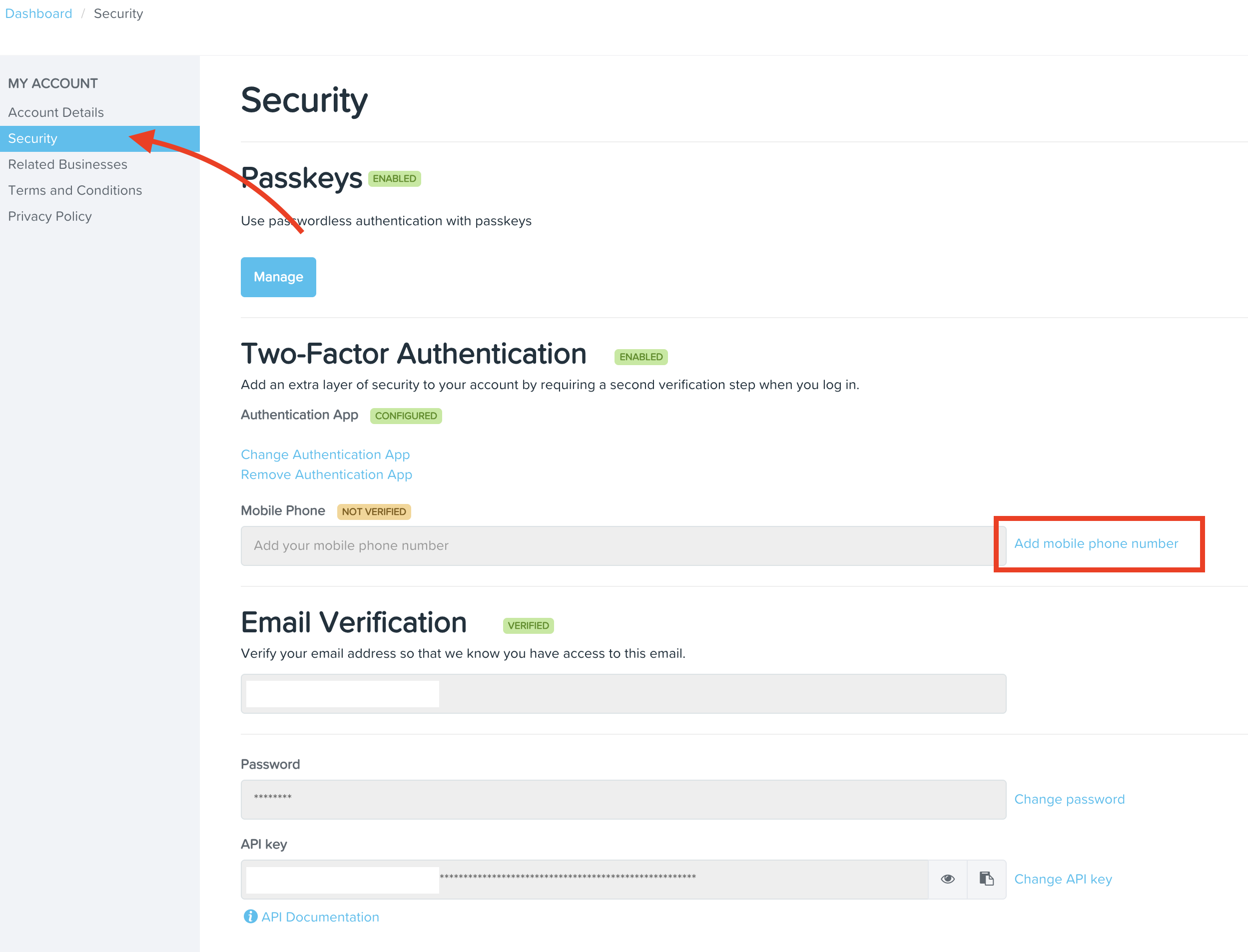
2. Under the My Account submenu, select Security, then click Add Mobile Phone Number.
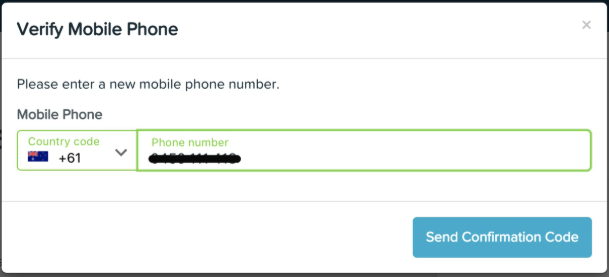
3. Enter your mobile phone number and click Send Confirmation Code.
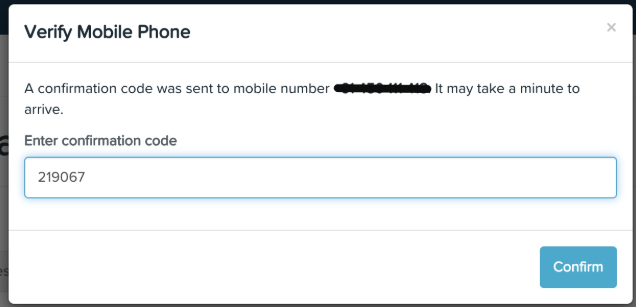
4. Enter the confirmation code you received and click Confirm.
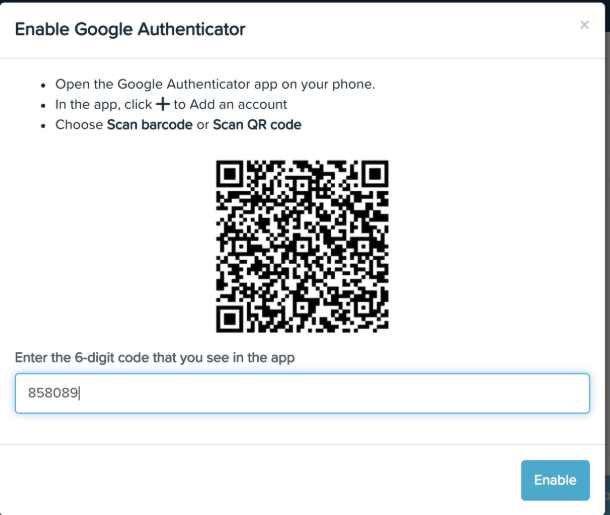
Setup Two-Factor Authentication: Google Authenticator
Click the Account menu.
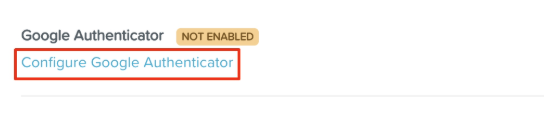
Under the My Account submenu, select Security, then click Configure Google Authenticator.
3. Scan the QR code using your Google Authenticator app.
4. Enter the six-digit code generated by the app.
5. Click Enable.