

You can access and update Public Holiday settings by navigating to Payroll settings > Public holidays.
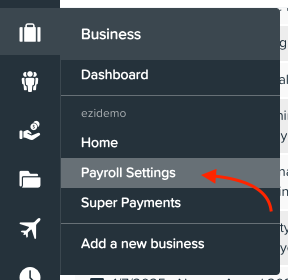
or
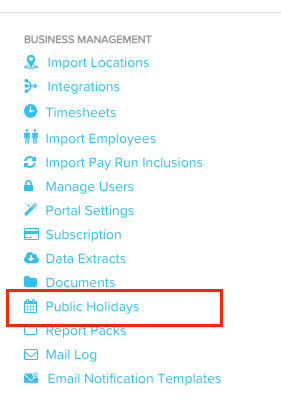
To add a public holiday, click the required date on the calendar. Please ensure all government and regional public holidays are included—add any missing ones manually. Also, make sure a state is assigned to each location on the Locations page under the Pay run settings section of the Payroll settings tab.
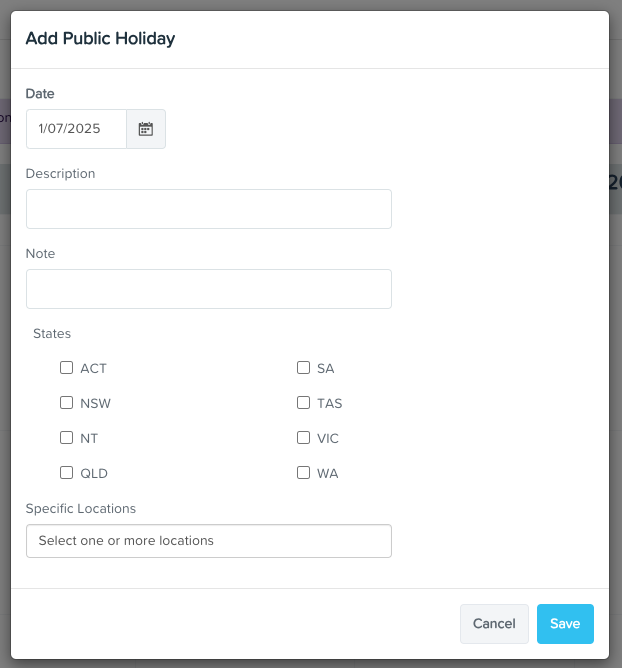
If you want a public holiday to apply only to certain locations, avoid selecting the state the location is in. Otherwise, the holiday will be applied to all locations within that state.