
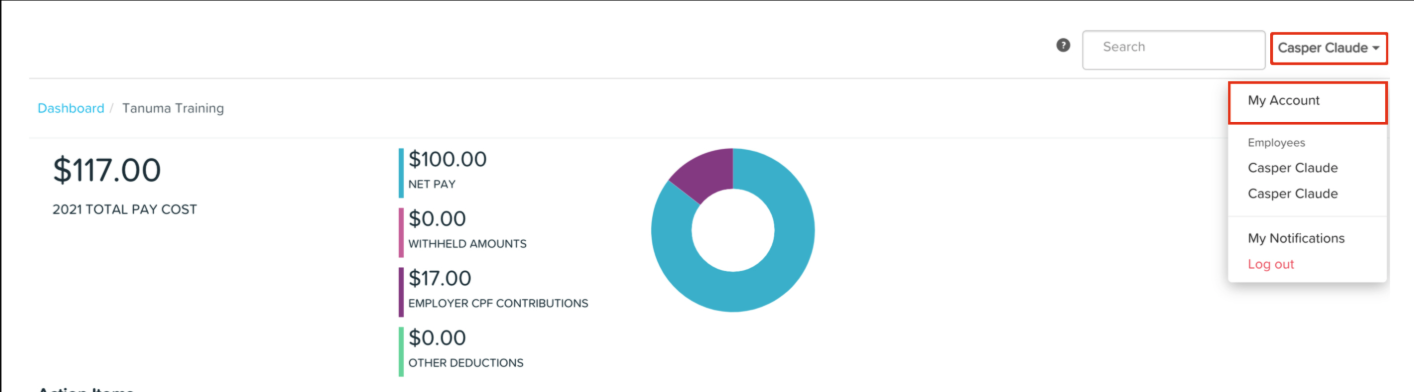
Click the My Account menu from your name dropdown.
2. Click the Account Details button. In this section, you can update the following:
Name
Time zone
Date of birth
Email and password
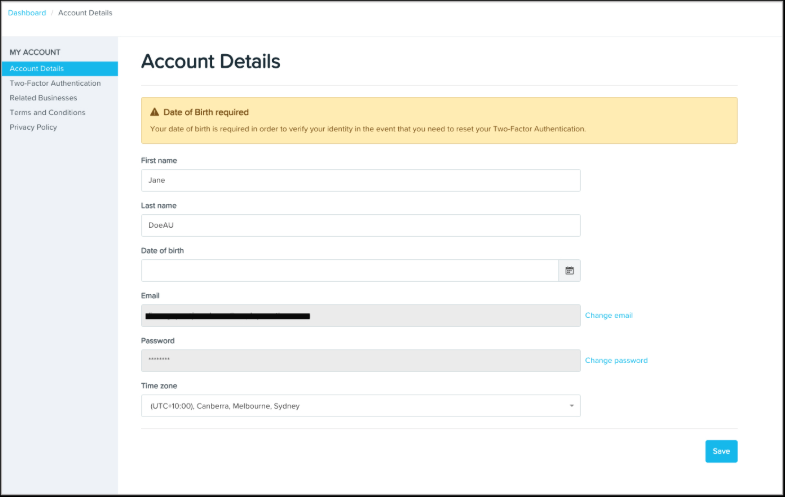
4. Click Save after making the changes.

Ezipay Automated Payroll
Get help straight from our team...
Update Your Personal Account Details in Ezipay
Ezipay Employee Portal for Administration
Learn how to update your name, time zone, date of birth, and login credentials in your account settings.
Last updated on 13 Feb, 2026
Click the My Account menu from your name dropdown.
2. Click the Account Details button. In this section, you can update the following:
Name
Time zone
Date of birth
Email and password
4. Click Save after making the changes.