

An employee portal is an online employee engagement platform that puts a range of Payroll services at the employee’s fingertips. An employee portal enhances the employee service experience, which increases employee satisfaction and engagement levels.
Grant an employee access
Go to the employee's profile.
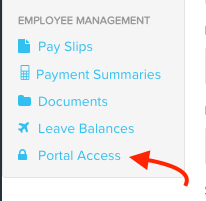
From the left side panel, select Portal access under the the Employee Management section.
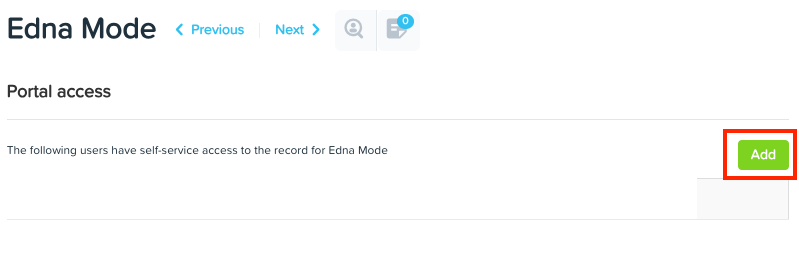
Click 'Add' and enter the user's email address in the Email address field.
Click the 'Save' button
Resend an invitation
Click the Employee menu.
Click the List submenu.
Click the name of the employee who needs to have an activation email re-sent to them.
Click the Employee Portal Access button.
Click the Resend Activation Email button.
Delete an employee access
Click the Employee menu.
Click the List submenu.
Click on the name of the employee who needs to have their Employee Portal access removed.
Click the Employee Portal Access button.
Click the Delete button (the red x).
On the Revoke access? confirmation window that will have now appeared, click Revoke Access.