

Anytime a staff member has been terminated they can be added back to Single Touch Payroll Pay or Finalisation Event.
Terminations before 31 March strategy
Have a methodology or process for ensuring grossed up RFB is calculated where a termination pay is being prepared. Amounts under $2000 do not need to be reported.
Once the payrun and termination pay has been finalised, and before lodging with the ATO, go into the pay event screen by clicking on “Lodge Pay Run with the ATO”
Find this tiny blue symbol which allows you to access the column set up:
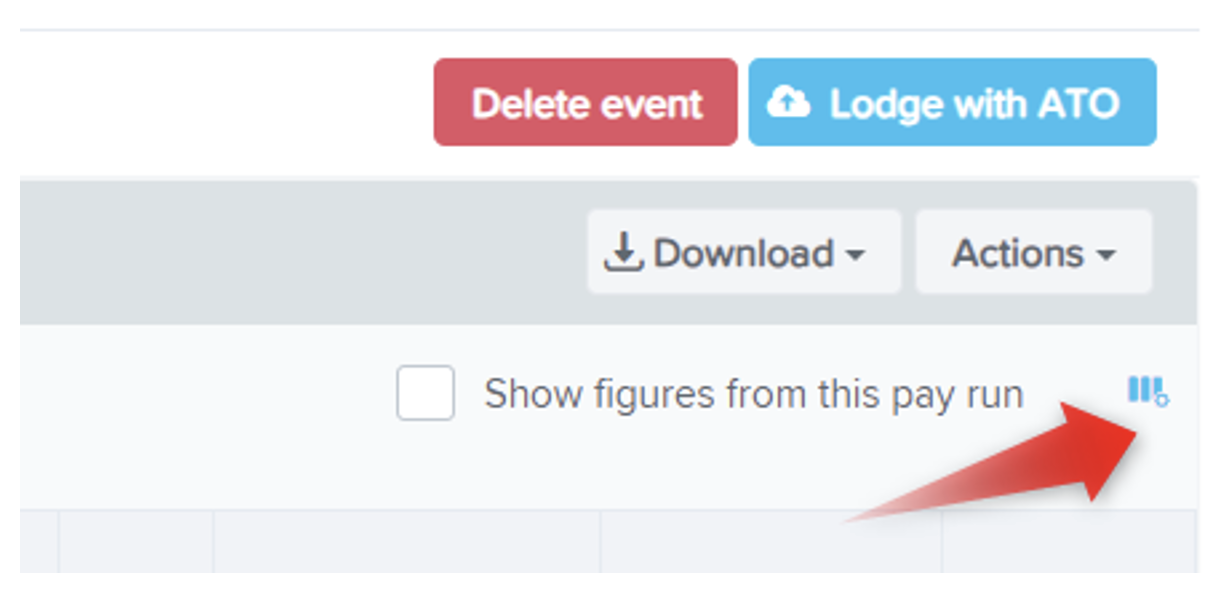
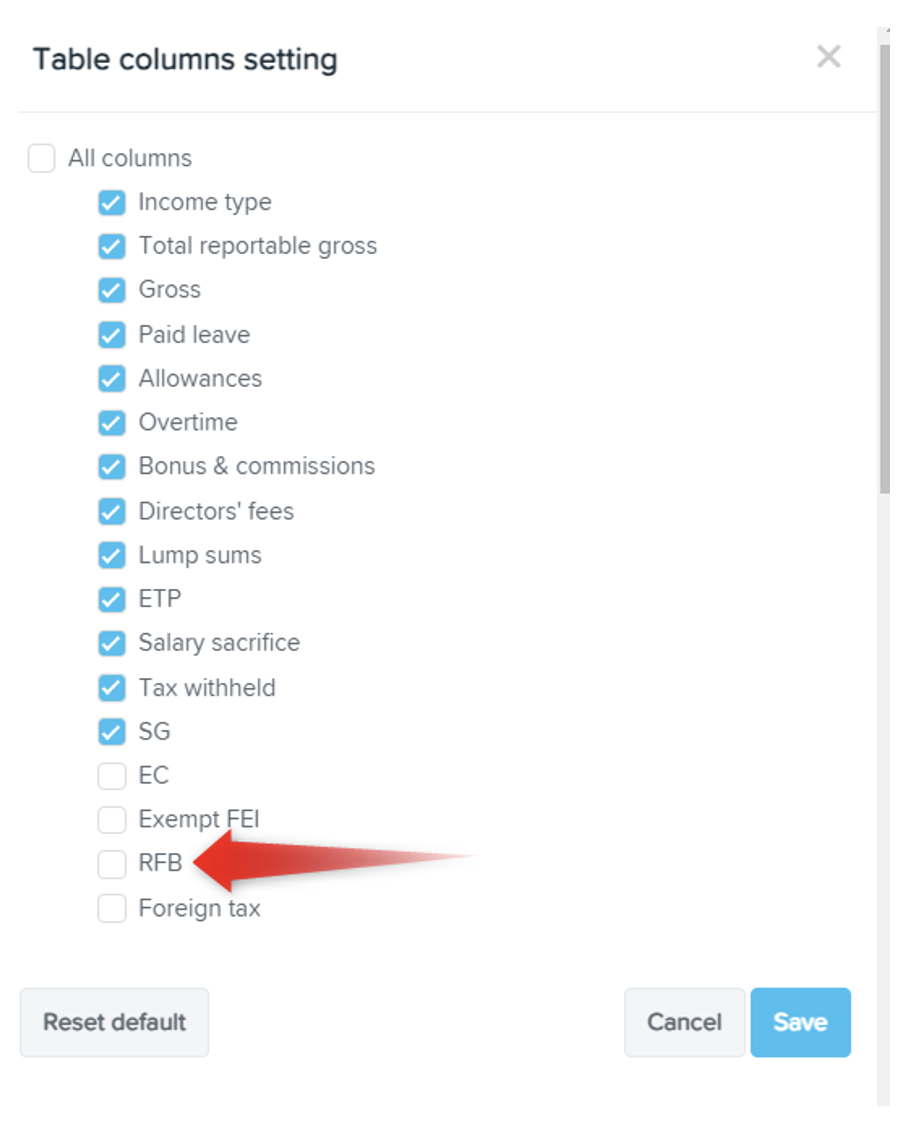
On the list of columns tick RFB so that it appears as a column.
Anytime an employee doesn't show in a finalisation event because they have been terminated, you can add them to the lodgement without having to reinstate them.
USe the 'actions' button - not far from the mysterious column symbol
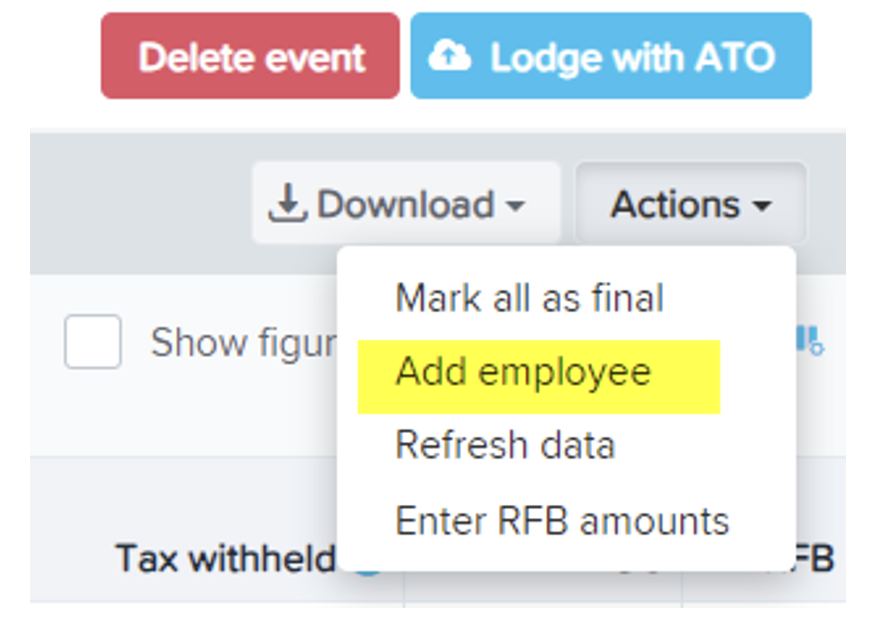
Use the 'actions' button again:
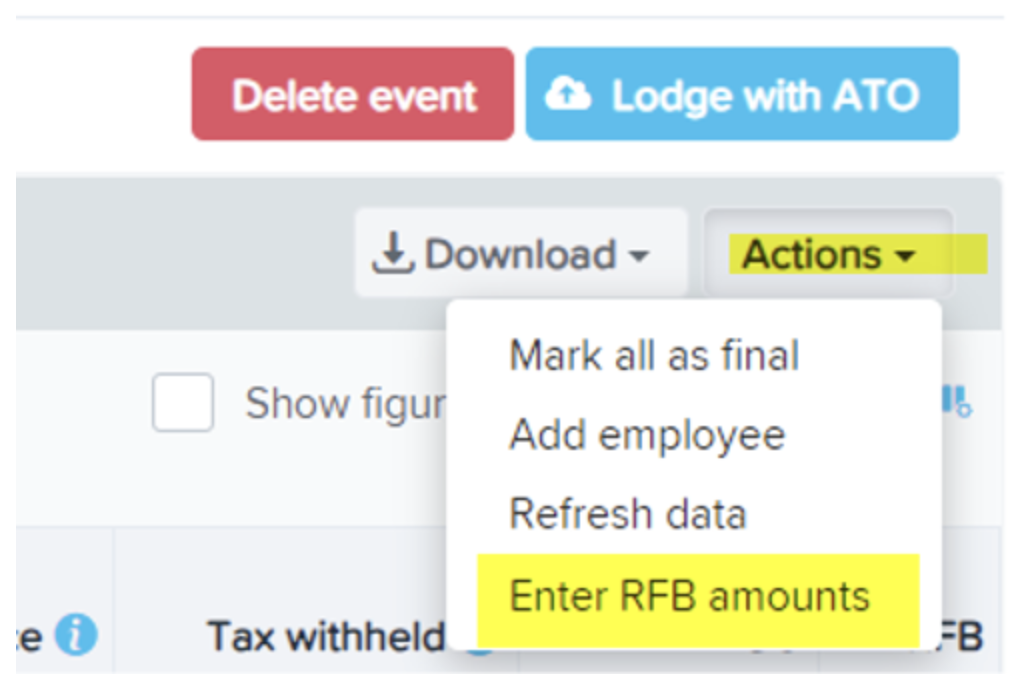
Click on the 'Enter RFB amounts" and match the payment to the appropriate finalising staff member
Lodge as normal.
Strategy for terminations 31 March and 30 June
RFB in this period would be reported in the next financial year.
Apply the RFB after 1 July during a pay event or during finalisation the following year.
Make sure your RFB column is showing in the Pay or Finalisation Event page (see above)
Anytime an employee doesn’t show in a finalisation event because they have been terminated you can add them to the lodgment without having to reinstate them.
Go to Actions:
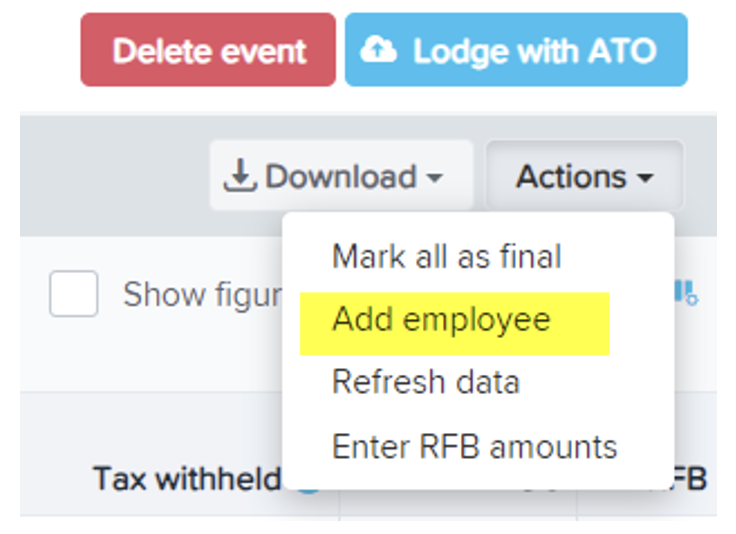
The only employees available on this list are employees who are terminated at the time of the event.
Then go back and click on enter RFB amounts and finish by doing the data entry.