

The various leave categories can have their balances and accruals be configured to show (or not show) on pay slips and in the employee portal.
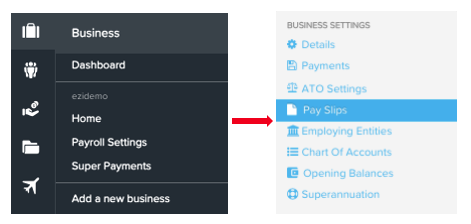
There are 2 areas to check for these settings. The first is Payroll Settings > Pay Slips:
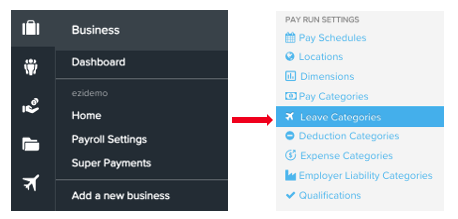
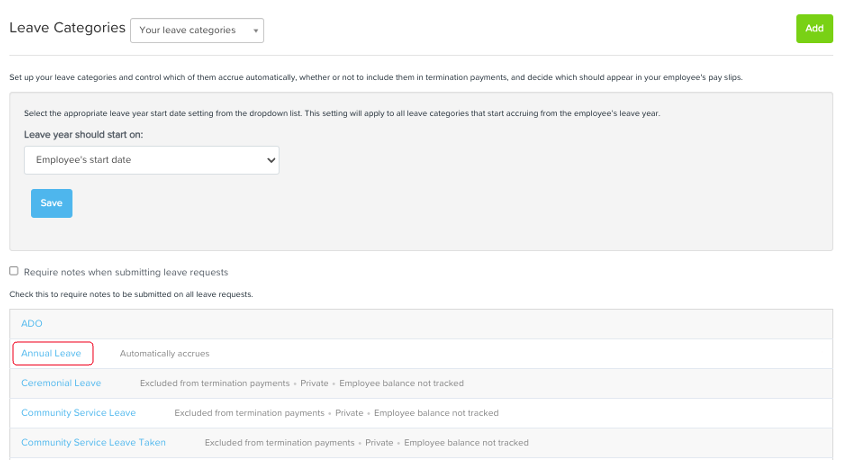
Next, you can configure each leave category individually to show (or not show) on pay slips. To do this, go to Payroll Settings > Leave Categories and select the required category one at a time. There are 2 boxes here:
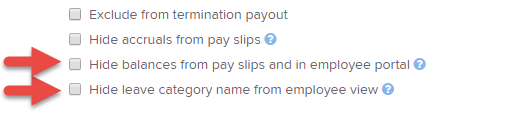
Hide accruals from pay slips - select this option if you do not wish to allow employees to view the amount of leave accrued for this category within a pay run on their pay slips.
Hide balances from pay slips and in employee portal - select this option if you do not wish to allow employees to see the balance of this leave category on their pay slips or in the employee portal.
These settings cannot be configured on a per employee basis, although leave (if configured to do so) will only appear for those employees who are entitled to it.