

Articles

Ezipay Automated Payroll

Get help straight from our team...

Leave Request Notification in Ezipay Admin users

Ezipay Employee Portal for Administration

Leave Request Notification in Ezipay Admin users

How to manage leave request notifications in Ezipay for admin users.

Last updated on 24 Sept, 2025

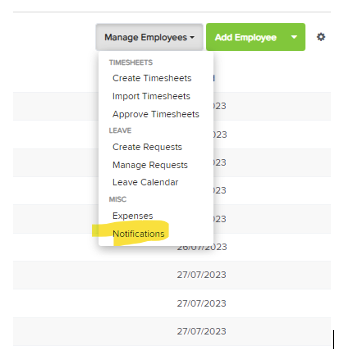
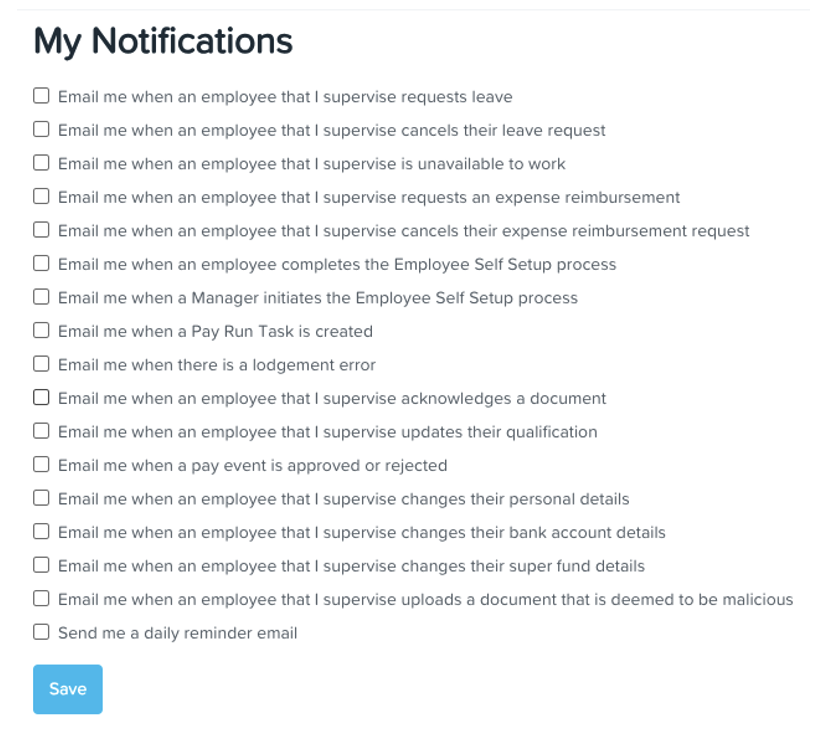
From the Dashboard, go to Employees tab, select Manage Employees and then Notifications. From there, you will see a checklist of items required for each admin.
 

Image

Important to note that admins on Ezipay must ensure that any items listed under leave requests remain unchecked unless it is within the scope of their role in order to maintain privacy. Click 'Save' once done.
Image
Did you find this article helpful?
Previous

Employee Details Report

Next