

Articles

Ezipay Automated Payroll

Get help straight from our team...

Ezipay Employee Portal for Employee

View Super Fund Details

View the details of your Superannuation Fund in the Ezipay Employment portal

Last updated on 23 Sept, 2025

Super details

Hover your mouse on the person icon located at the left hand side panel, then click Super Funds.
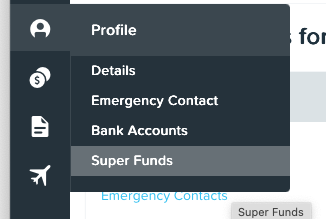
Image

On the 'super funds' screen, you will be able to view (not edit) all super funds set up. This includes any multiple super funds along with the fixed or percentage amount that your contributions will be distributed as:
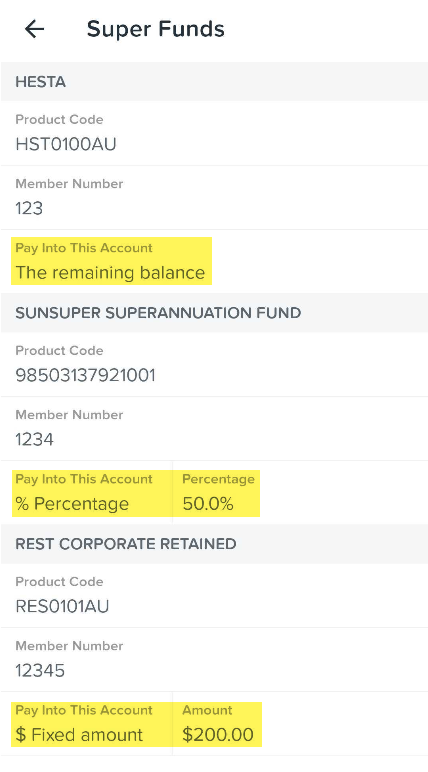
 

mceclip0.png


Did you find this article helpful?
Previous

Pay Slips and Payment Summaries

Next