

Employee Portal
You can view your details within the employee portal by navigating to the left menu, clicking on the icon and then 'Details':

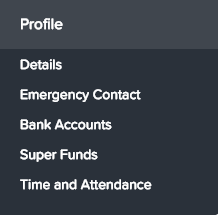
Employee details that cannot be edited include (these fields are greyed out to indicate their fixed values):
Start date
First name
Preferred name
Middle name
Surname
Date of birth
Anniversary date
Employee details that you can edit include:
Title
Gender
Email
Home phone
Mobile phone
Work phone
Residential address: when entering an address, auto-complete suggestions may be presented. To pre-fill an address, click on a suggestion. This will also auto complete the Residential Suburb field. If the suggestions are not adequate or you live overseas you will need to tick the checkbox Enter Residential Address Manually. This will open additional fields and all fields (other than Residential Address Line 2) must be completed. N.B. outside of Country, all other fields are free text so there will be no validation done to ensure the address is correct. The same concept applies for postal address.
Postal address
Emergency Contacts - Primary and Secondary Contacts
Bank Accounts - You can add bank accounts and BPAY accounts and control how much of your pay goes into each account by specifying a percentage or a fixed amount. More information can be found here
Super Funds - You can control how much of your super goes into a super fund by specifying a percentage or a fixed amount. More information can be found here
Note: In order to update employee details it needs to be enabled by the payroll administrator under business settings. If you see that fields are locked in read-only mode, your payroll administrator has not enabled such access. As such, you will need to advise payroll or your manager of any details that need updating so they can do it on your behalf.