You can remove access to the employee self service (ESS) portal (this will, in turn, also remove access to the EH Work app) as well as change the settings that will be available to your employees when they log in to the ESS portal and EH Work.
To remove access, follow these steps:
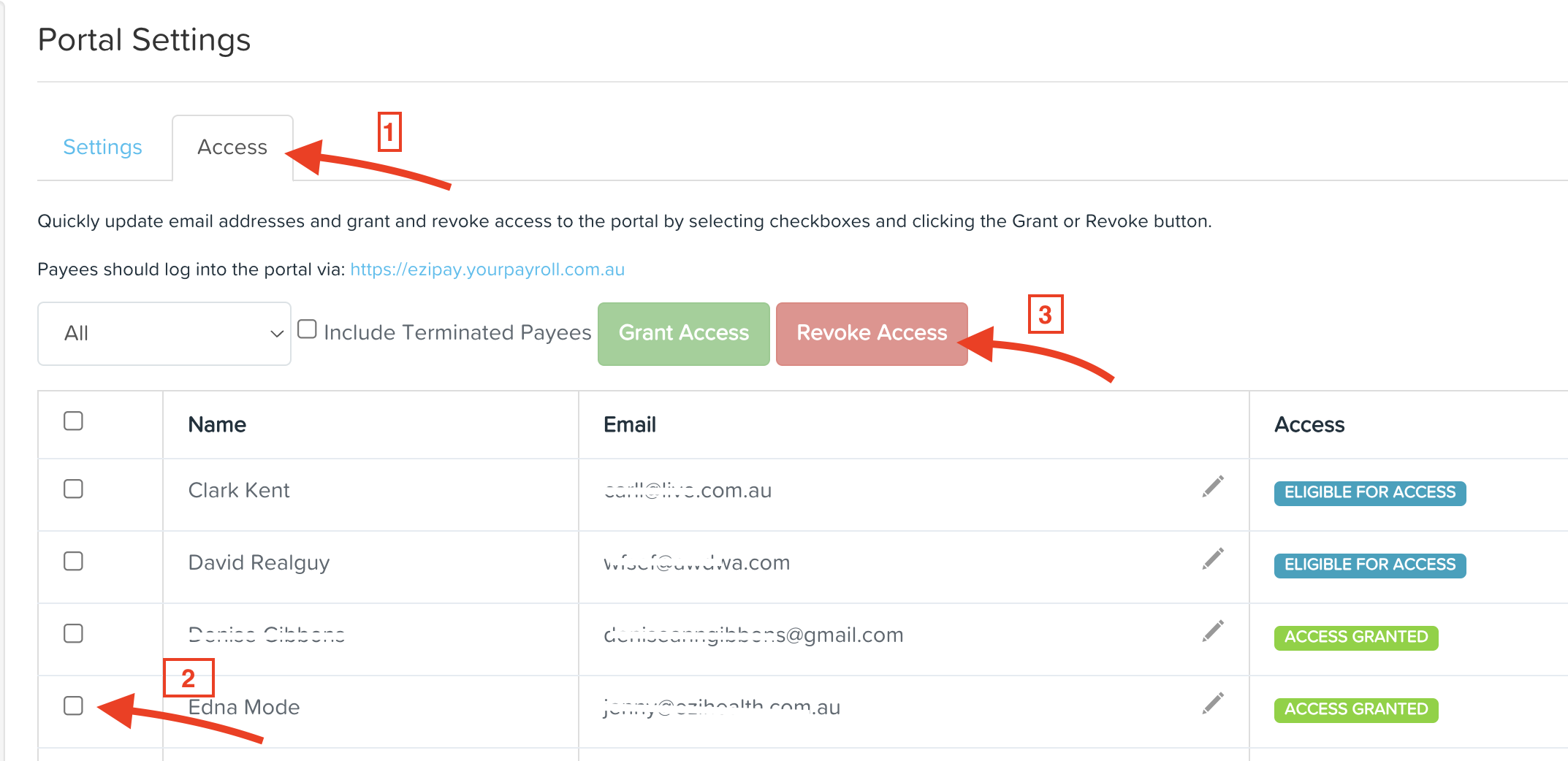
Go to payroll settings > portal settings > Access tab
Use the checkbox to select the Employees you wish to revoke access from.
Click on "Revoke Access"